80s Photo
80s Photo studio

80s Family Photo Generator

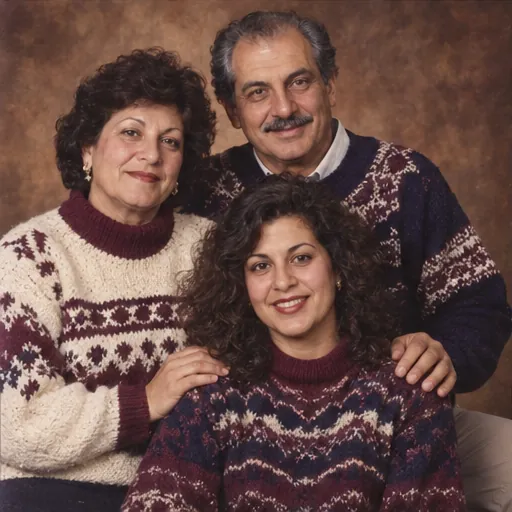
A warm backdrop, coordinated sweaters and slightly formal poses make a familiar family-album portrait. Start with a group photo everyone is happy for you to use.

Your photo, your throwback

Photo studio
1JPG, PNG, WebP · 10 MB
2Choose your 80s look

Changes clothes and scenery for this look, while keeping your face and pose.

Adjust details (optional)0/400 · No prompt needed to get started.
Family album prompt

Create a warm 1980s family portrait of the people in the reference group photo. Use coordinated knit sweaters, a brown mottled studio backdrop, the original poses and on-camera flash. Keep exactly the same number of people. Preserve every person’s recognizable facial features, skin tone, age, body proportions and expression. Do not beautify, replace, add, remove or merge people. Keep natural skin texture. Make only the styling changes explicitly requested by the selected preset. No added text, logos or watermarks. Keep the original pose, gaze, person-to-person spacing, camera angle and framing. Do not introduce props or change the scene beyond the explicit preset instructions.

Prompt for use in your favorite image tool.
3Pick a shape

Matches the closest supported format to your photo.

1 free portrait per day · No account needed · Daily capacity applies

A little inspirationAI-created style sample
AI-created style sample: Family album
Family album’86
80s Photo
Studio

Matching knits encouraged.

Pick a look, bring your own face, and make it personal.

Original AI style examples. Your photo supplies the people; the preset supplies the look.

Family album prompt

Create a warm 1980s family portrait of the people in the reference group photo. Use coordinated knit sweaters, a brown mottled studio backdrop, the original poses and on-camera flash. Keep exactly the same number of people. Preserve every person’s recognizable facial features, skin tone, age, body proportions and expression. Do not beautify, replace, add, remove or merge people. Keep natural skin texture. Make only the styling changes explicitly requested by the selected preset. No added text, logos or watermarks. Keep the original pose, gaze, person-to-person spacing, camera angle and framing. Do not introduce props or change the scene beyond the explicit preset instructions.

Prompt for use in your favorite image tool.

Keep everyone visible

Choose a group photo with clear faces and no one hidden behind another person. Ask the model to preserve the exact number of people and their relative positions.

Coordinate without matching everything

Pick a shared palette of cream, navy and burgundy. Knitwear and a simple backdrop make the picture feel connected without putting everyone in identical clothes.

Check group details

Count the people in the output. Look for changed faces, merged hands or altered ages. Group portraits are more demanding than solo edits; simplify the scene if the result is inconsistent.

Ready for your close-up?

Open the photo studio